Never Miss a Clinical Detail
Never Miss a Clinical Detail
Never Miss a Clinical Detail
Based on session count, clinical progress, and client data, 19 smart reminders trigger automatically; the right alert, at the right time.
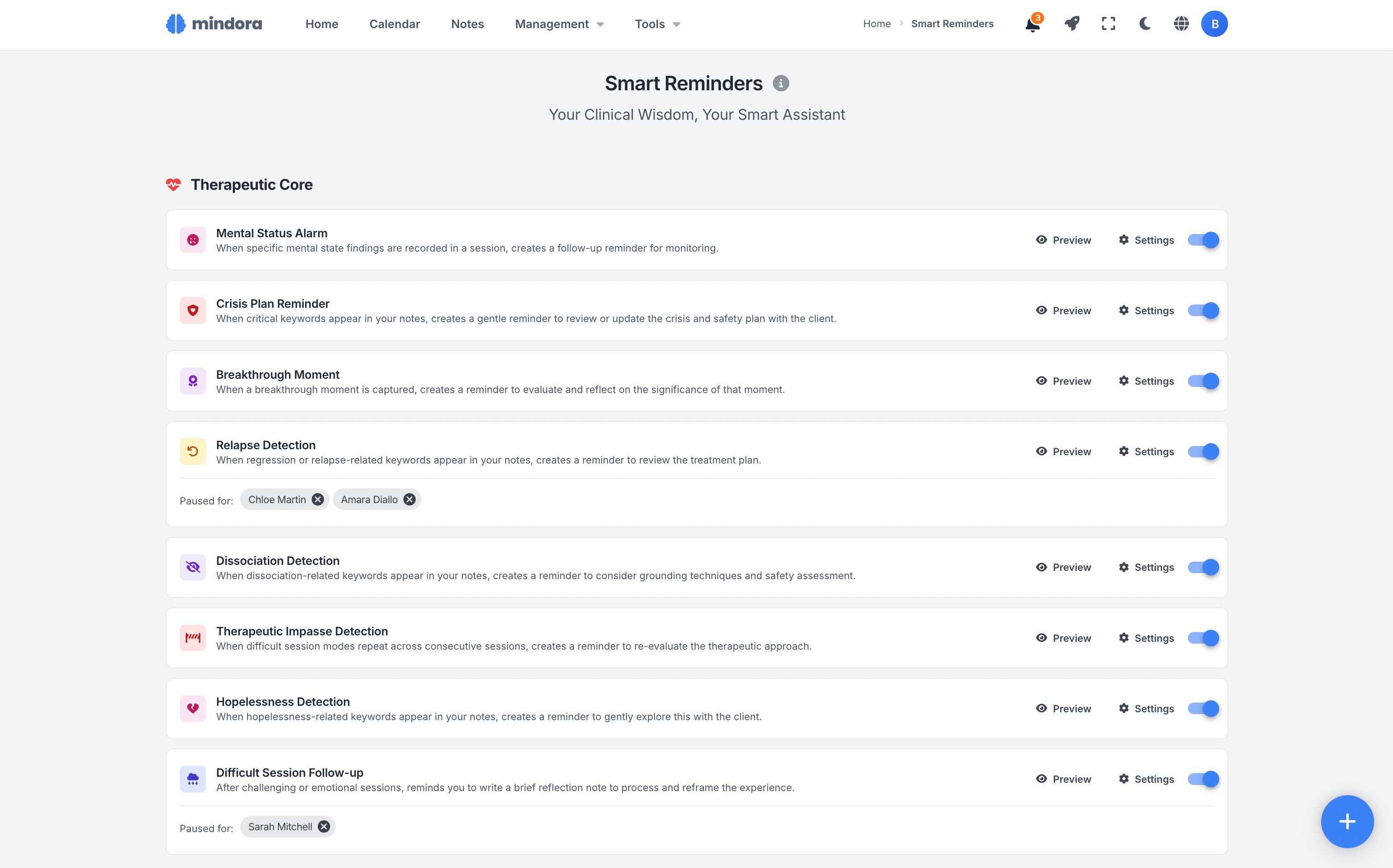
Click the icon at the top right to switch to dark mode.
19 Different Reminder Types
From crisis detection to goal progress, from birthdays to payment follow-ups; 19 distinct rules quietly watching over your practice.
Clinical Support
Therapeutic Process
Practical Management
How They Appear on Your Dashboard
Reminders appear on your dashboard as color-coded cards; act on them or snooze them with one click.
A good time to review the crisis and safety plan with Sarah Mitchell.
Review the crisis and safety plan together with the client, or create one if needed.
Time to create a case formulation for James Chen.
Enough sessions have been completed. Consider creating or updating the case formulation.
A session milestone has been reached for Emma Rodriguez.
A session milestone has been reached. Review the client overall progress and treatment trajectory.
Birthday is approaching for Noah Fischer!
The client birthday is approaching. Consider acknowledging it gently in the next session.
Understand Why the Reminder Came
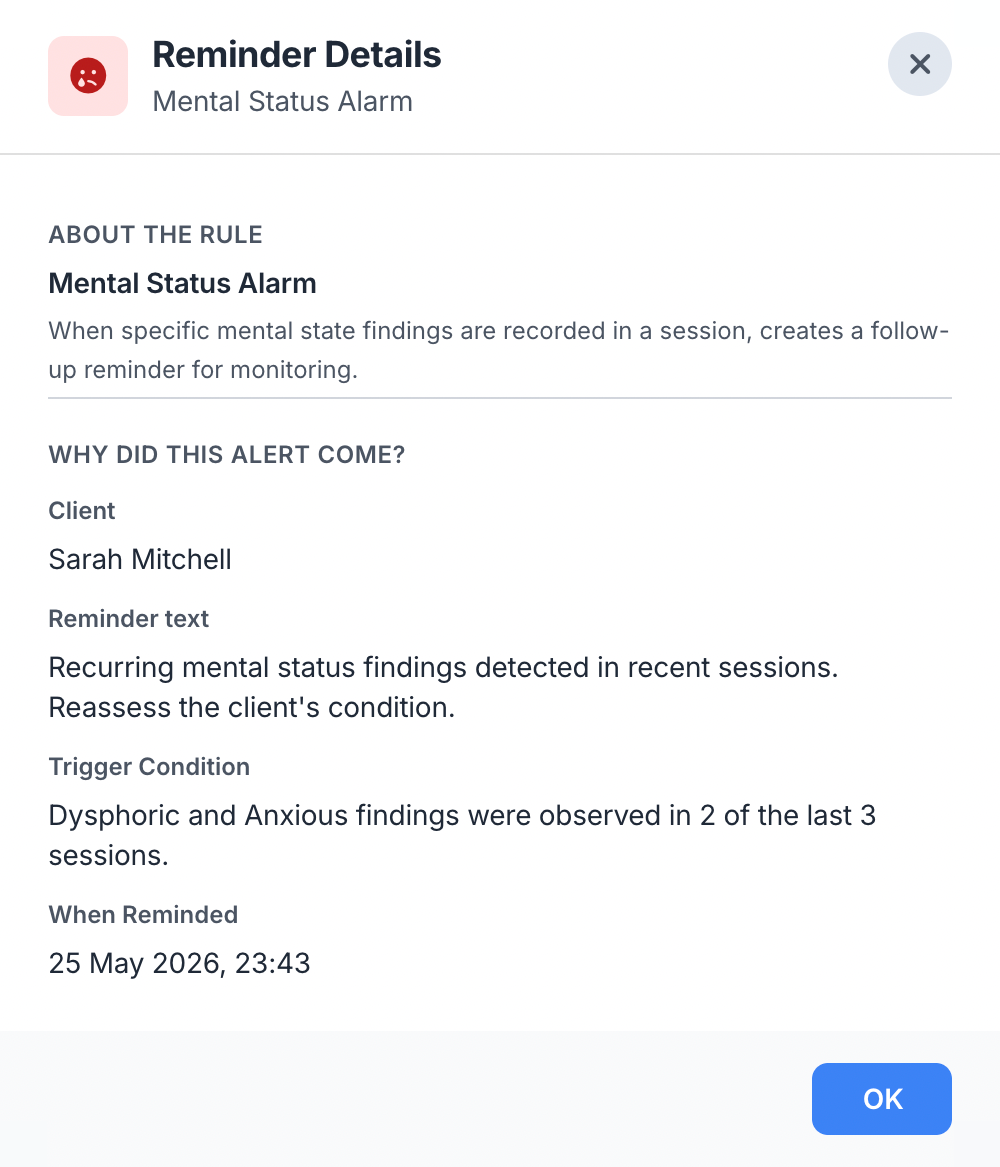
Click on any reminder card to open the detail view: which rule triggered it, for which client, what the condition was, when it was created; everything on one screen.
See the reminder text, trigger condition, and the related client; instantly grasp the full context to take the right action.
Not Now? Snooze It.
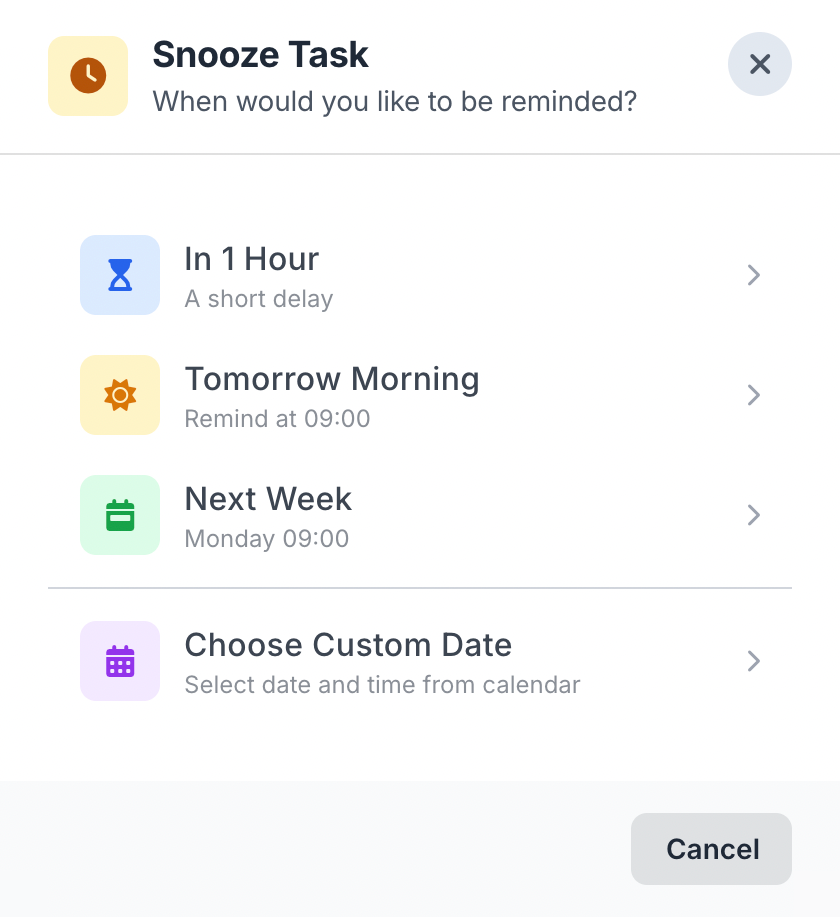
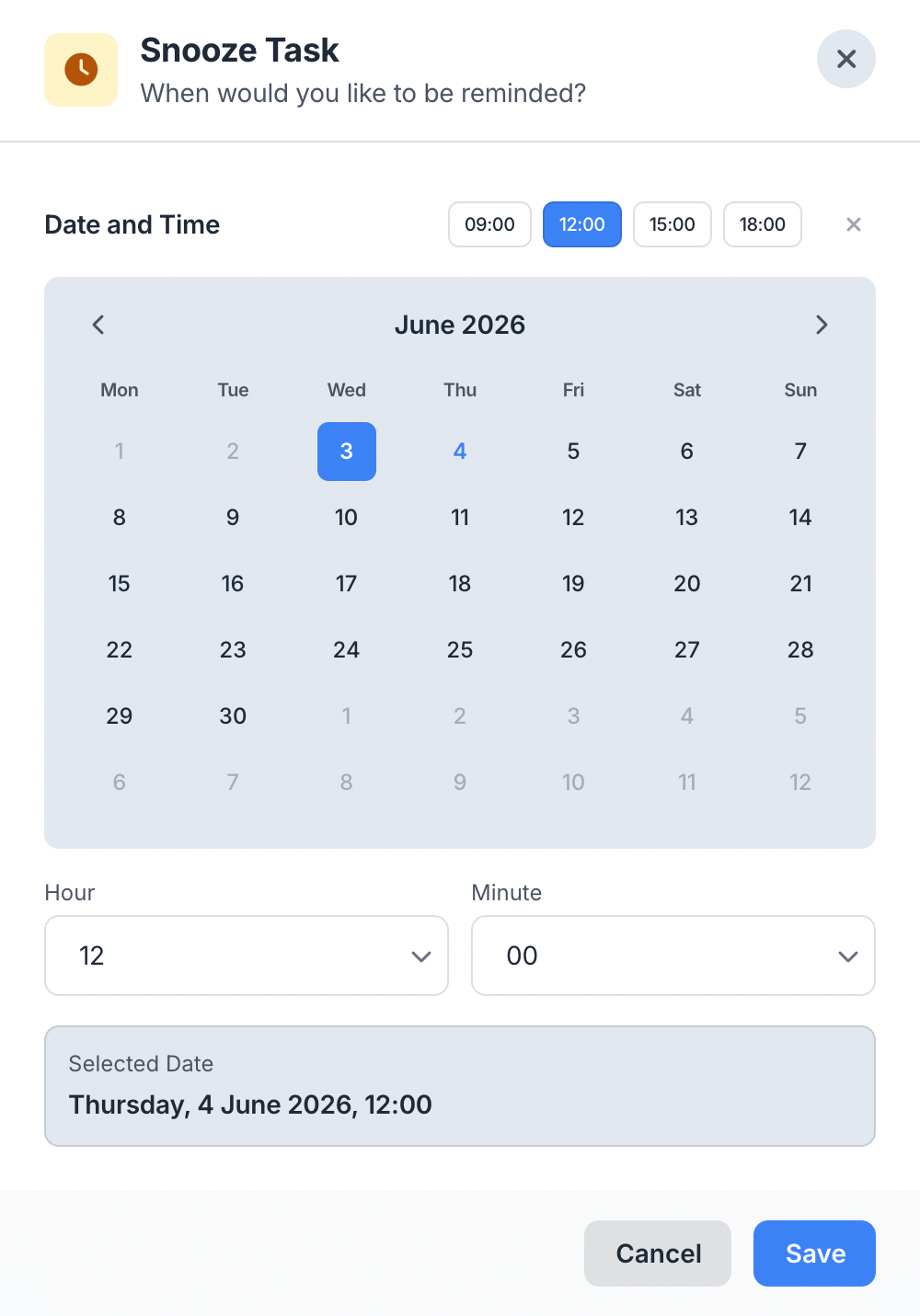
If the reminder isn't convenient right now, postpone it with quick snooze options: 1 hour, tomorrow morning, or next week. Need a more specific time?
Use the custom date option to pick an exact day and time from the calendar; the reminder will reappear at your chosen moment.
Quick Actions
When you complete or snooze a reminder, you get instant feedback; an "Undo" option is available for 10 seconds, so you never fear mistakes.
Enough sessions have been completed. Consider creating or updating the case formulation.
Enough sessions have been completed. Consider creating or updating the treatment plan.
An Automatic Watchman for Your Clinical Process
From a crisis moment to a birthday, from a treatment plan to payment follow-up; 19 distinct rules quietly watch over your practice.
19 Smart Rules
8 therapeutic, 7 clinical, and 4 practical rules work together; crisis, formulation, goal progress, payment tracking — all from one engine.
Two Triggering Methods
Some rules trigger event-by-event (a crisis keyword, a completed session); others come from a daily check (overdue payment, a client unseen for long).
Two-Tab Smart Inbox
On the dashboard, the "Important" tab holds crisis and clinical priorities, while the "Follow-up" tab holds administrative reminders.
Clinical Support Rules
Case formulation, assessment, treatment plan, progress review, MSE improvement, goal progress, and milestones; the system flags each missing step.
Therapeutic Core Rules
Crisis, hopelessness, dissociation, relapse, hard sessions, therapeutic impasse, MSE alarm, breakthrough; critical signals never slip through.
Practical Management Rules
Gap analysis, payment reminders, burnout prevention, birthdays; administrative load lives in the system, not in your head.
Custom Keywords
Adjust the words used to detect crisis, hopelessness, dissociation, and relapse signals to fit your own practice.
Five-Action Card Menu
On every reminder card, five quick actions: snooze, pause for this client, jump to the rule, view details, mark as done.
Four Snooze Options
1 hour, tomorrow morning, next week, or a custom date and time from the calendar; snooze flexibly when the moment isn't right.
Excluded Clients
Temporarily pause reminders for a specific client; when their journey is different, the system stops insisting.
Eight Configuration Parameters
Session thresholds, day counts, weekly hour ceiling, birthday lead time; tune every rule to match your practice.
Works Out of the Box
The moment you sign up, all 19 rules are active with sensible defaults; toggle them one by one if you wish, or leave them as they are.
Scenarios from Your Daily Practice
See how smart reminders live inside your clinical workflow.
New Client Journey
You start working with a new client. After the 3rd session, an "Initial Assessment" reminder arrives; once you write it, a "Case Formulation" reminder triggers at session 8, and the process unfolds systematically.
Managing a Busy Week
You conducted 28 hours of sessions this week; a "Burnout Prevention" reminder appears. You dedicate the weekend to rest. Two clients also have overdue payments; payment reminders are waiting.
Tracking Clinical Progress
A client shows an improvement trend in MSE findings. The system creates a positive reminder: "Reinforce the gains." The same week a 15th session milestone reminder arrives; time to review the process.
Learn More
Detailed guides about smart reminders.
Frequently Asked Questions About Smart Reminders
Common questions about the 19 reminder types, trigger rules, customization, snooze, task differences, and AI roadmap.
Automate Your Clinical Workflow
Create a free account; let 19 smart rules start watching over your practice today.