🇹🇷 Accounting & Receipt Management
🇹🇷 Accounting & Receipt Management
🇹🇷 Accounting & Receipt Management
With Parasut integration, issue GIB-compliant e-SMM and send it to your client in one click, automate receipt tracking, and export your data; without switching apps.
How Parasut Integration Works
Connect your Parasut account; after payment, issue e-SMM with one click — Mindora handles the rest.

Connect Your Account
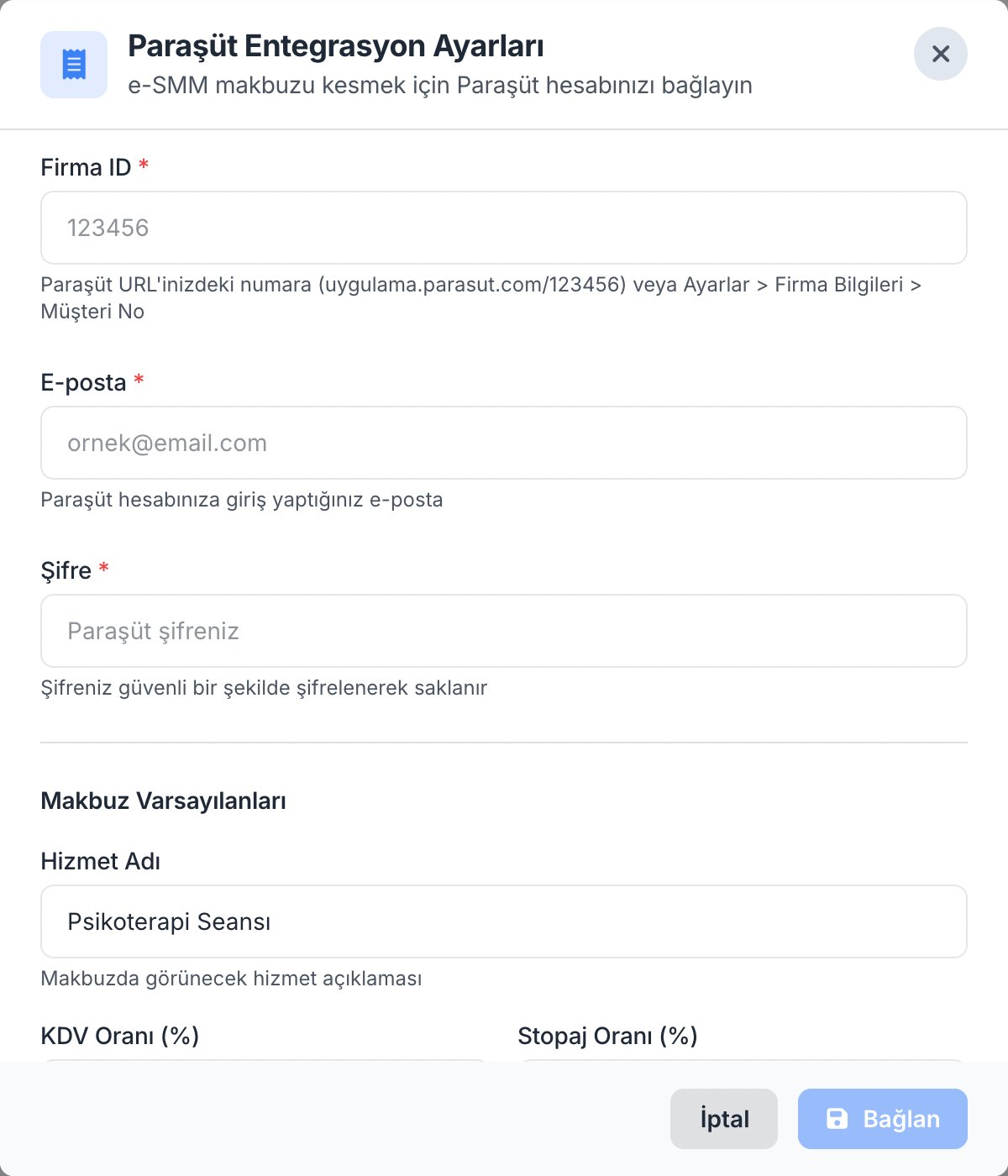
Connect your Parasut account to Mindora once; your Company ID, email, and password are all you need to get started.
Payment Completes
Client pays online or you mark it manually; the "Issue Receipt" button appears right next to the payment — no separate workflow.
Issue Receipt
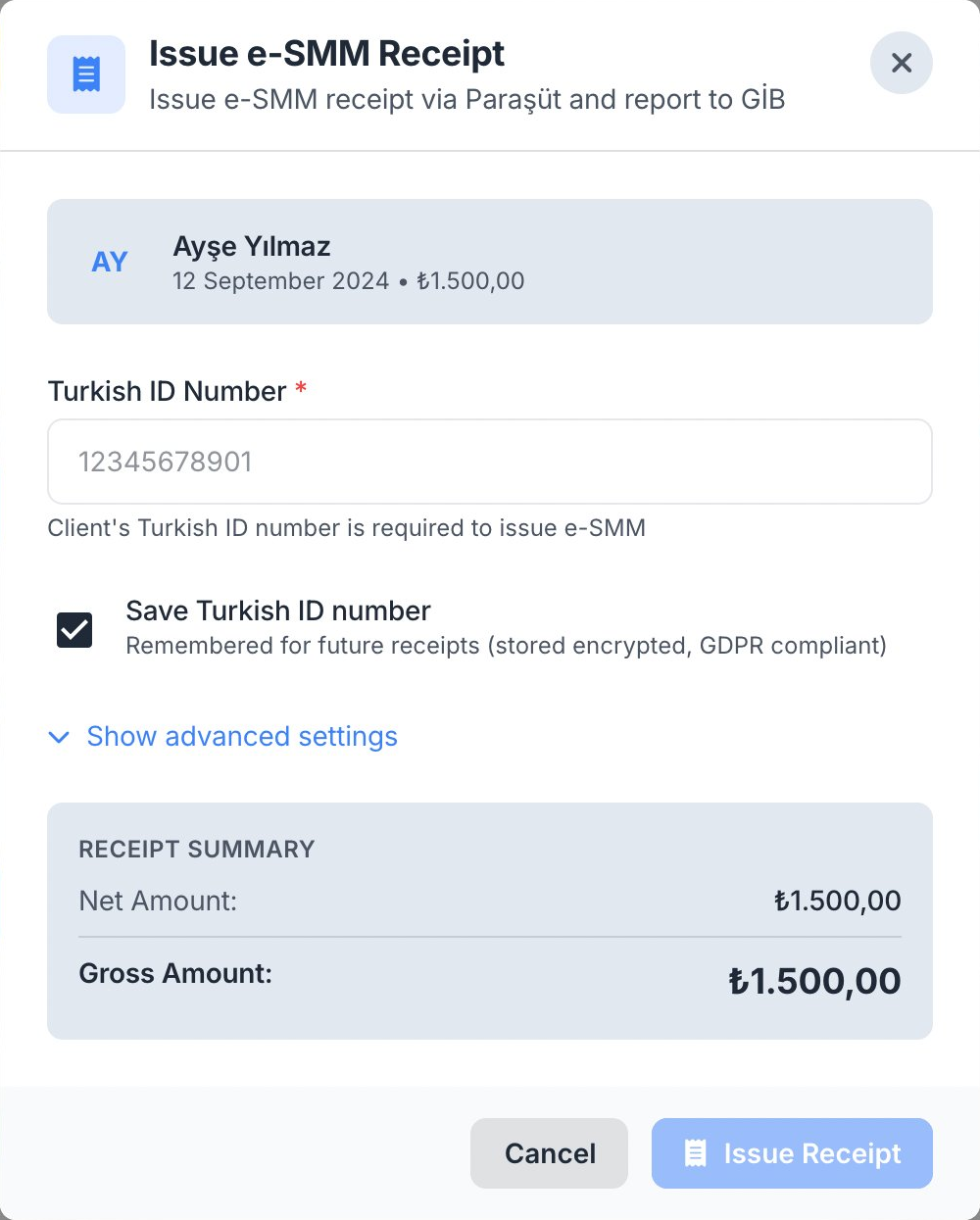
Enter TC Kimlik No on first use, the amount is already filled; one click and the e-SMM is created and recorded in Parasut instantly.
Send or Download
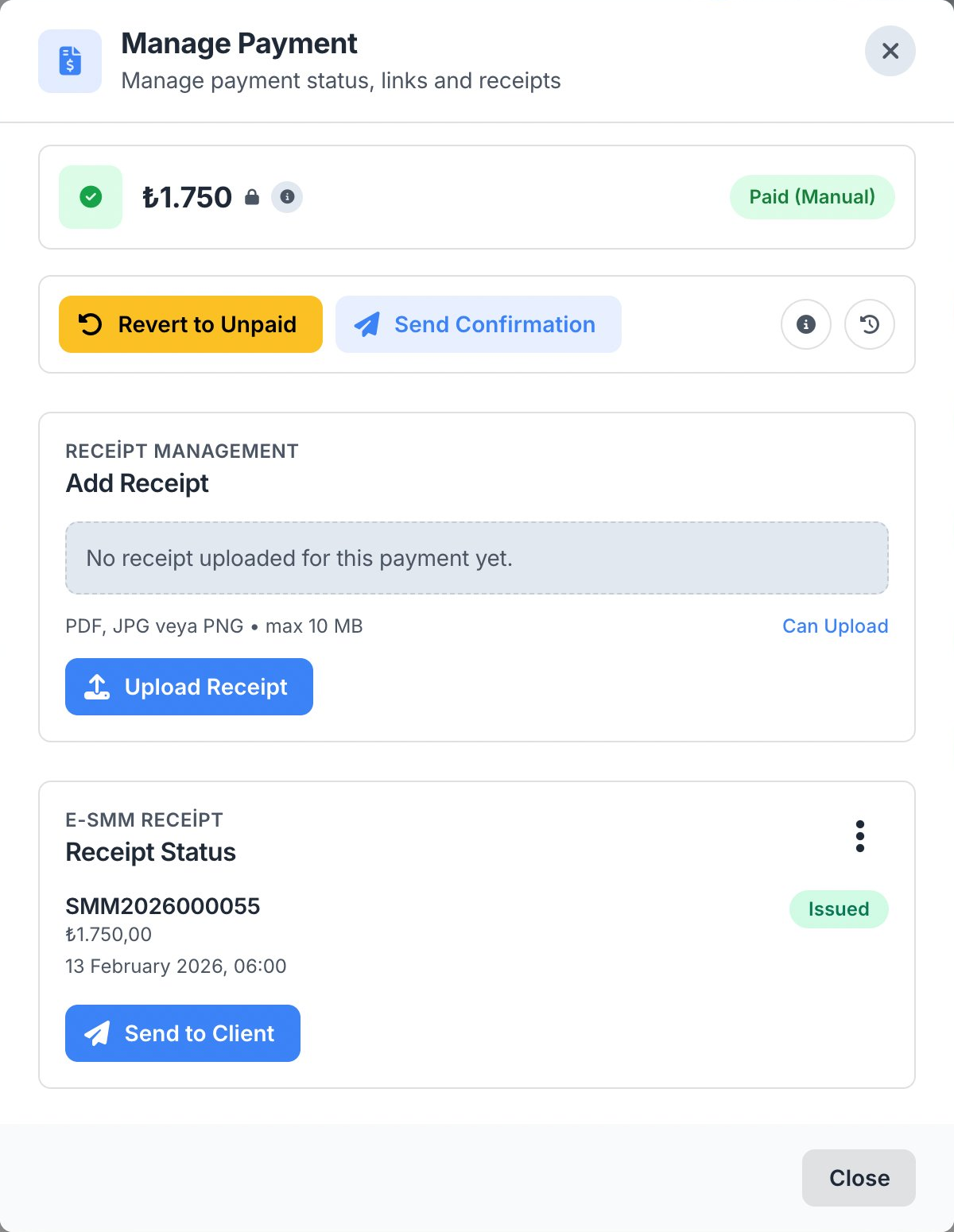
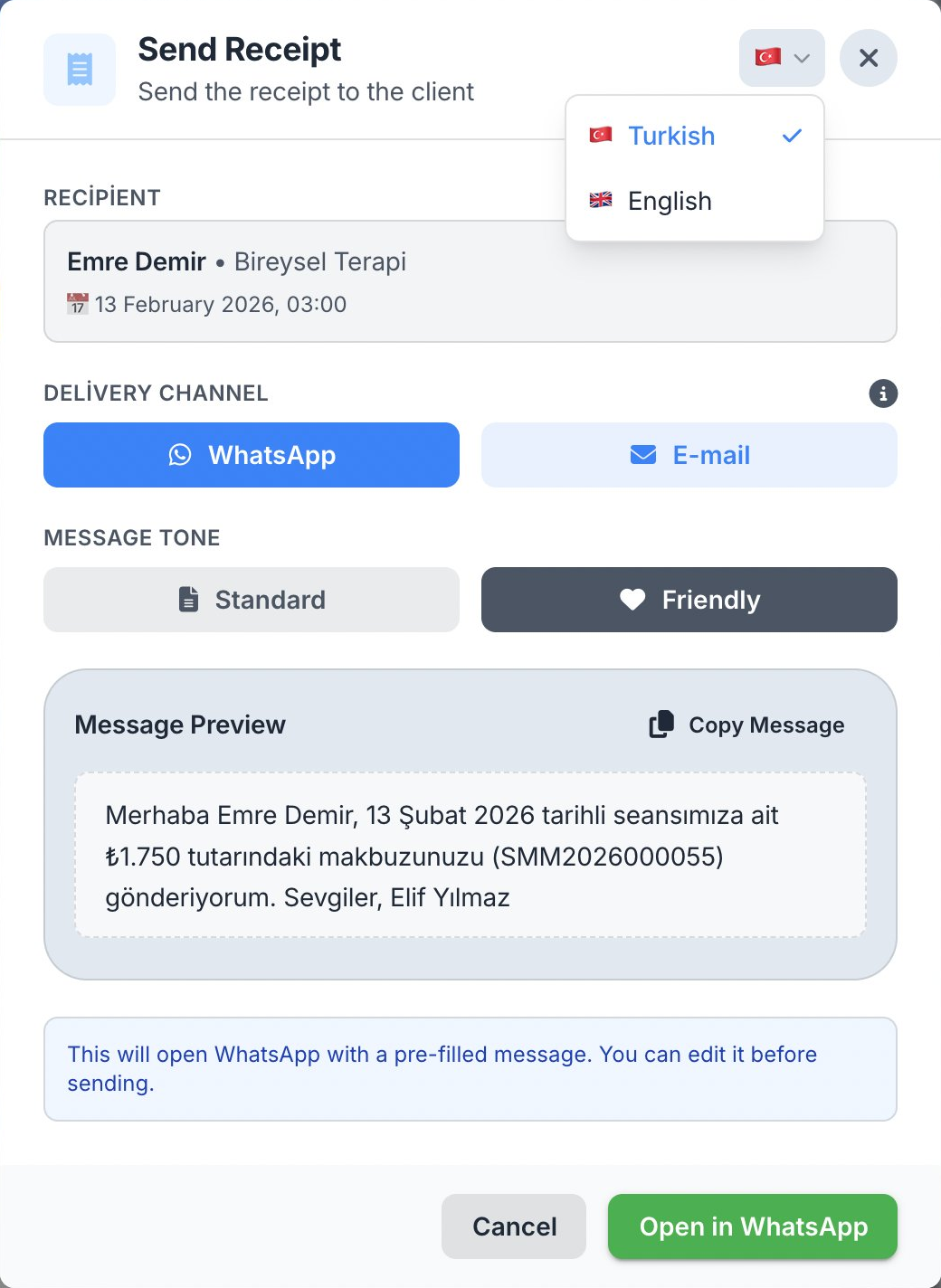
Send the PDF to your client via WhatsApp or email, or download it; the whole process is logged in payment history, no separate filing.
Connect Account
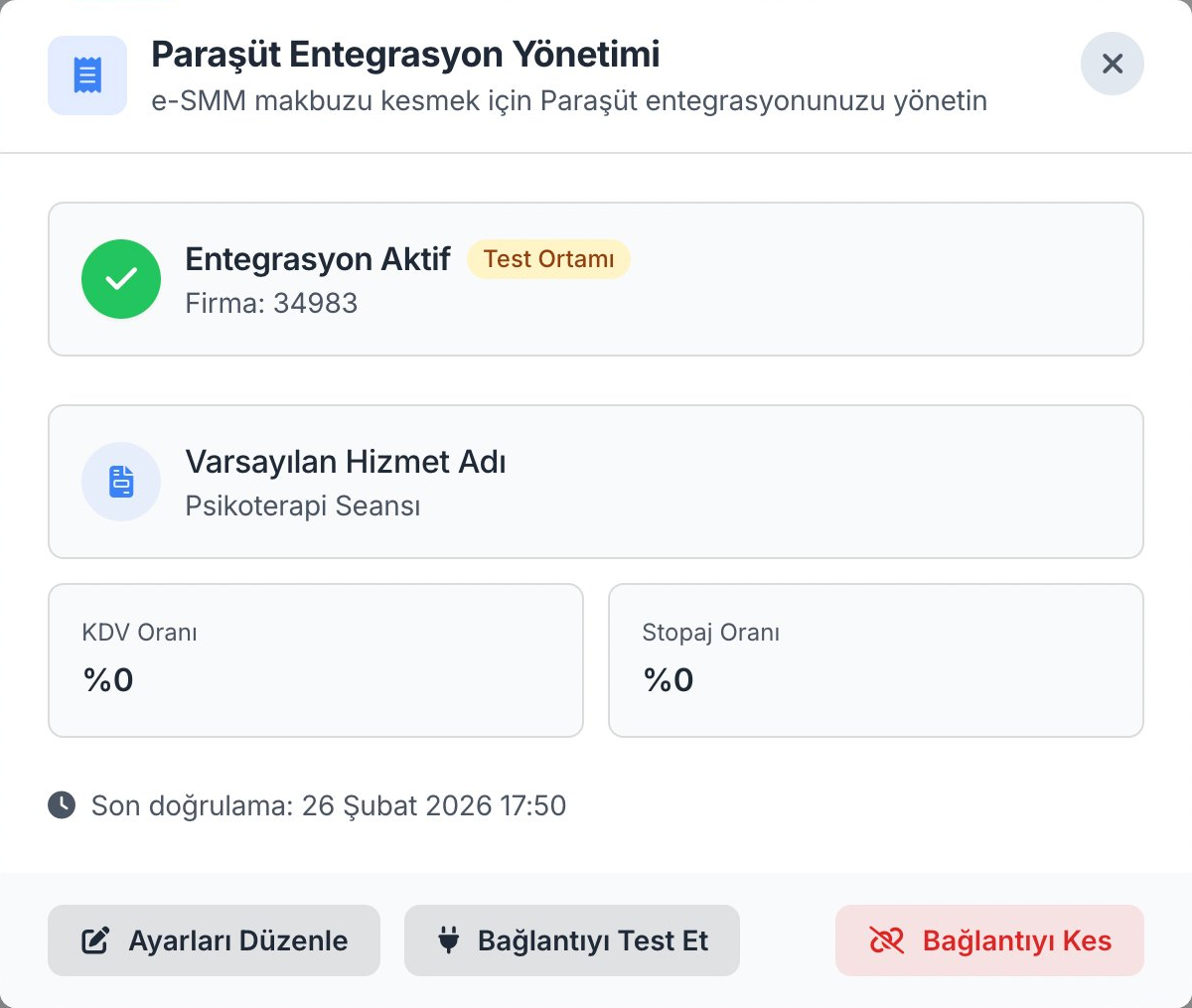
Connected
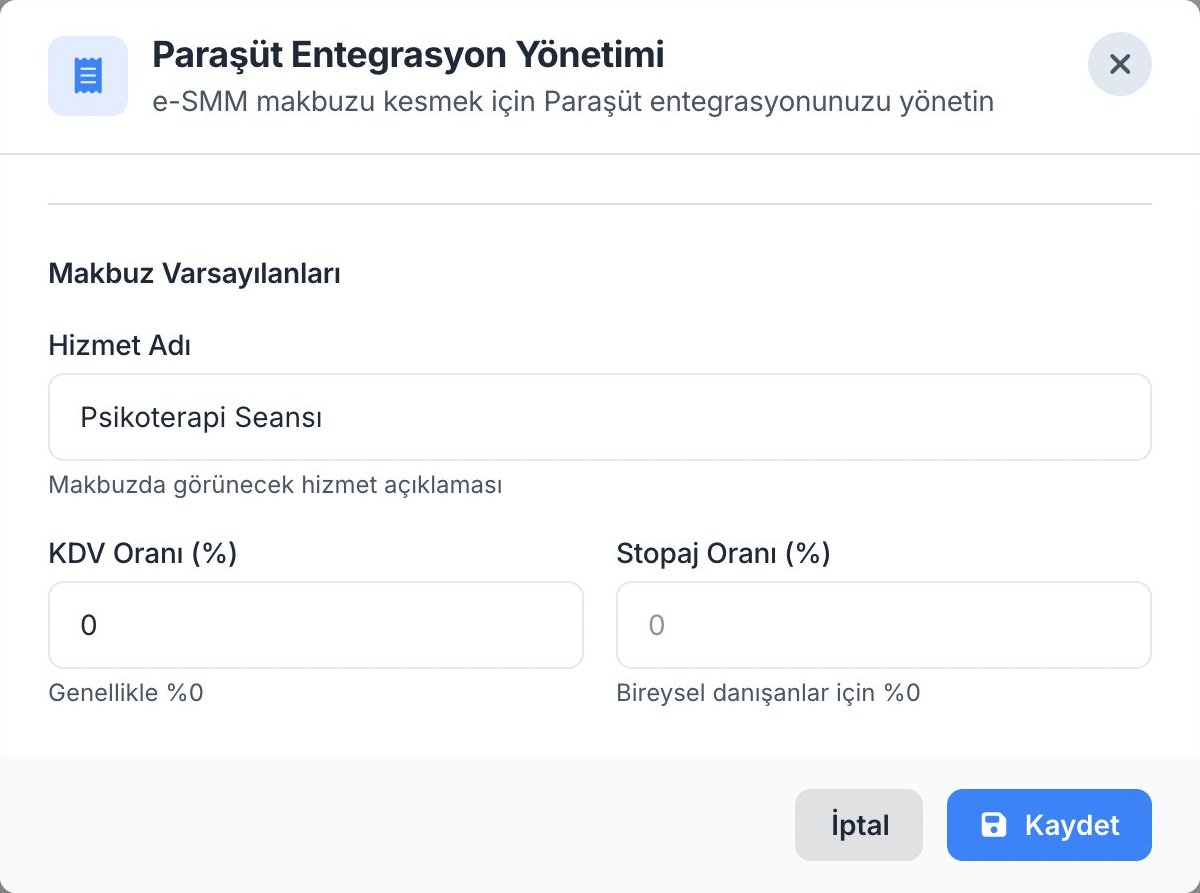
Edit Settings
Issue e-SMM
Receipt Status
Send Receipt
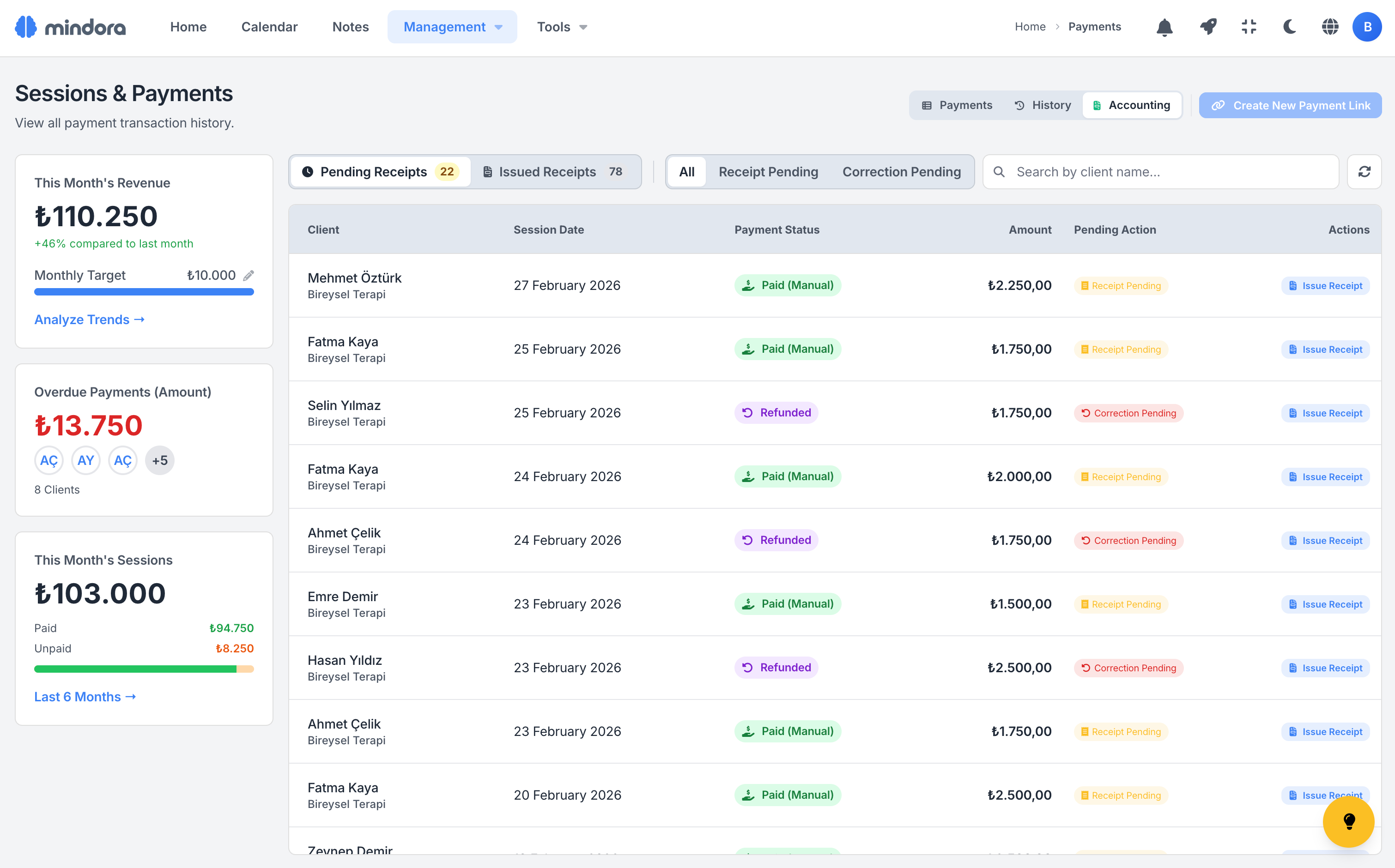
Accounting Tracking Screen
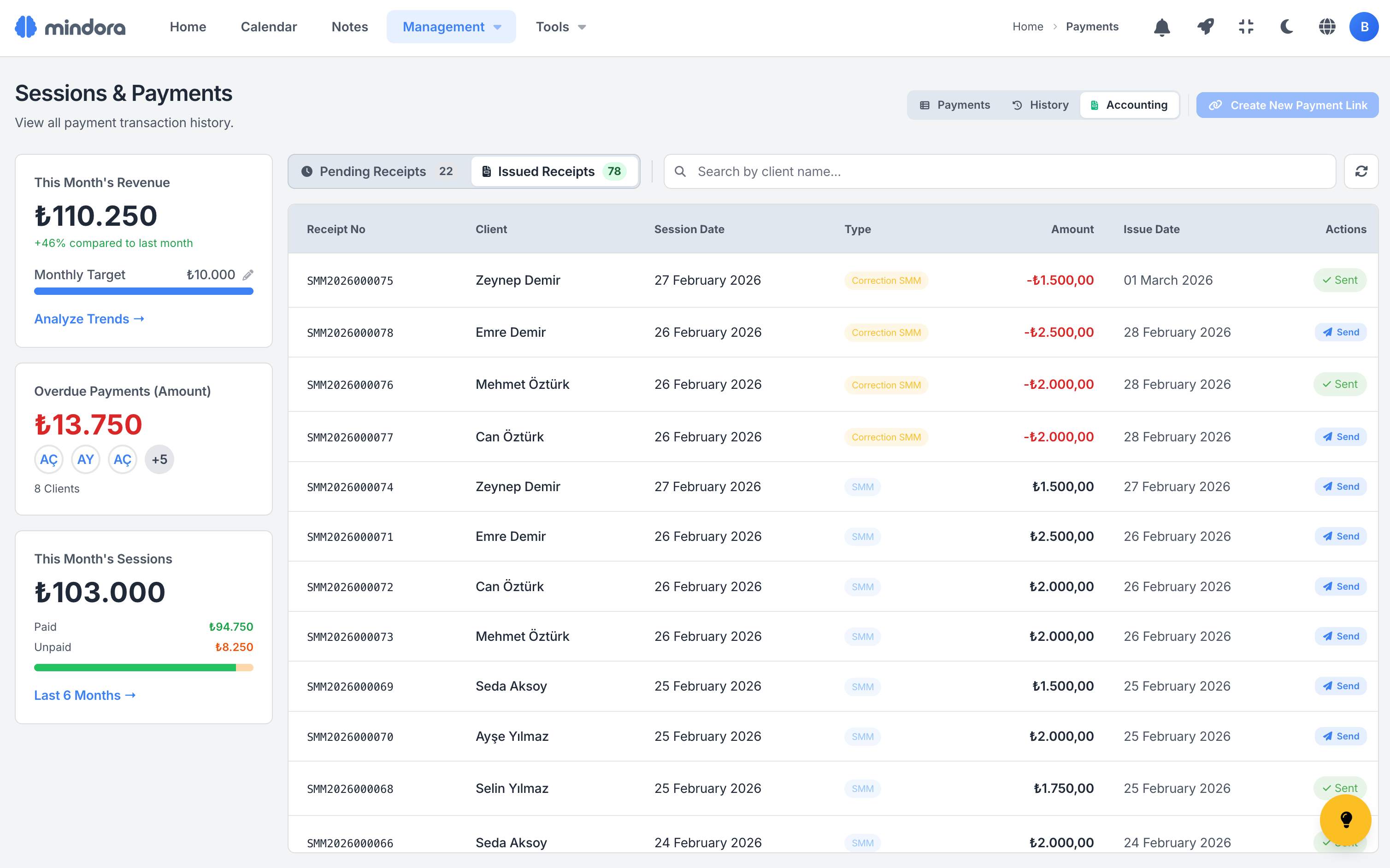
Track pending and issued receipts from a single screen; no e-SMM slips through, no mental list required.
Pending Tab
Every session awaiting SMM or a correction receipt is listed here; issue the receipt with one click — no manual tracking on your side.
Issued Tab
Your past receipts in one place: date, amount, status, and PDF access; ready when a refund, audit, or report comes up.
Status Badges
Each row in the payments table carries a Pending, Correction Pending, or Complete badge; filter to spot what's missing in seconds.
Pending Receipts
Issued Receipts
Right Button, Right Time
Receipt buttons only appear when relevant; you don't have to memorize which action is allowed for each payment status.
| Payment Status | Issue Receipt * | Correction * | Manual Upload ** |
|---|---|---|---|
| Unpaid | — | — | — |
| Link Sent | — | — | — |
| Paid via Link | If no receipt yet | — | If no receipt yet |
| Paid Manually | If no receipt yet | — | If no receipt yet |
| Refund Pending | — | — | — |
| Partially Refunded | — | If receipt exists | — |
| Refunded | — | If receipt exists | — |
| Free Session | — | — | — |
* Requires Parasut integration
** Available for everyone; no integration required
Two Paths, Same Result
Whether you use Parasut or not, manage your accounting process inside Mindora; tracking stays on the same screen.
Parasut Integration
Issue e-SMM with one click: TC Kimlik is auto-remembered after the first time, the receipt reflects in Parasut instantly, and you send the PDF to your client in one tap.
CSV Export + Manual
Export payment data as CSV, send it to your accountant, or issue via GIB portal yourself; upload the receipt PDF back to Mindora and tracking continues on the same screen.
Türkiye Accounting, Inside Mindora
From Parasut integration to manual receipt uploads and CSV export, your financial flow stays in one panel.
Parasut Integration
Connect your Parasut account; client TC Kimlik or tax number details sync automatically, ready for GIB-compliant e-SMM issuance.
One-Click e-SMM
When payment completes, you click "Issue Receipt"; client and amount auto-fill, and the e-SMM is created in Parasut instantly.
Correction Receipts
After a refund, the "Correction Pending" badge appears automatically; one click issues the cancellation/correction SMM, the original receipt is handled in Parasut.
Accounting Tracking Screen
See pending and issued receipts in two tabs on a single screen; "Receipt Pending", "Correction Pending" and "Done" badges close month-end fast.
Smart Button System
Receipt, correction or upload buttons appear only when valid for the current state; no clutter, just the one right action in front of you.
Manual Receipt Upload
Not connected to Parasut? Upload receipts you issued in the GİB portal as PDF, JPG or PNG, up to 10 MB; replace, download or send when needed.
Receipt Delivery
Send issued or uploaded receipts to your client via WhatsApp or email in one click, or download if you prefer; PDF auto-attached, delivery logged.
CSV Export
Export your filtered payment data as a 6-column CSV file; send to your accountant or import into your own tracking system.
Scenarios from Your Daily Practice
See how the accounting module fits into your workflow.
Post-Session Receipt
Session ends, payment arrives; you click "Issue Receipt" from the calendar. Since TC Kimlik is remembered, the e-SMM is created in Parasut in 10 seconds, and the PDF reaches your client via WhatsApp instantly.
Refund and Auto Correction
Your client requests a refund; once you issue it, Mindora adds the "Correction Pending" badge, and one click issues the cancellation SMM. The original receipt is handled on Parasut's side, with no manual tracking.
Monthly Accountant Report
At month-end, export all your payment data as CSV in one click and email it straight to your accountant. If you use Parasut, every receipt is already filed there, so there's no extra work or back-and-forth.
Receipt Workflow for Every Payment Type
Cash, bank transfer, or online payment; a clear receipt workflow for every scenario is in front of you.
Manual Payment (Cash / Transfer)
Link Payment (Stripe / iyzico)
Learn More
Detailed guides about accounting and receipt management.
Frequently Asked Questions About Accounting & e-SMM
Common questions about Paraşüt setup, auto-issue, correction receipts, VAT/withholding, and accountant sharing.
Simplify Your Accounting
Parasut integration, one-click e-SMM, accounting tracking screen, and CSV export; all your financial processes in one platform.