Manage Your Sessions End to End
Manage Your Sessions End to End
Manage Your Sessions End to End
See every session with its appointment, notes, payment, and progress details at a single glance.
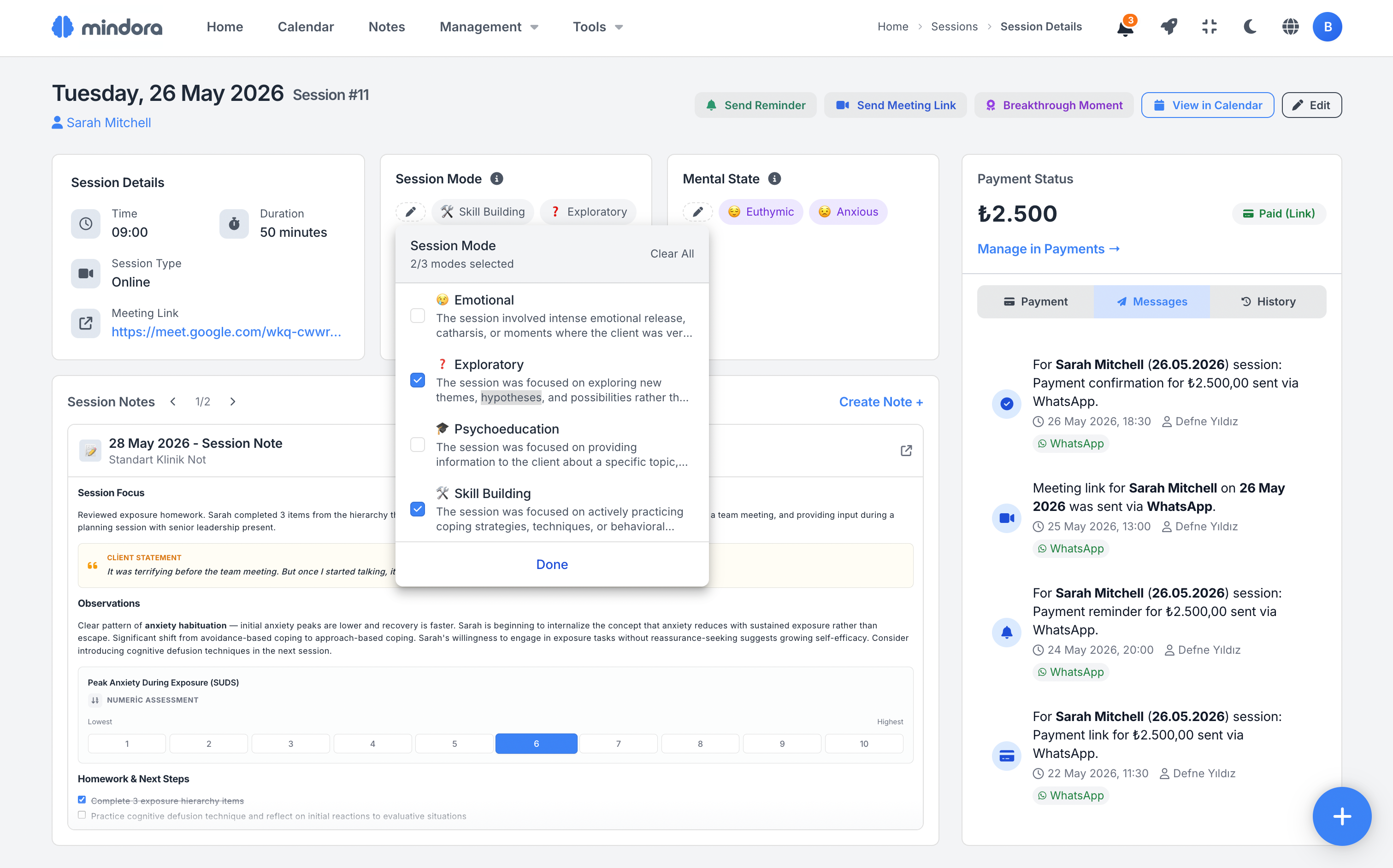
Click the icon at the top right to switch to dark mode.
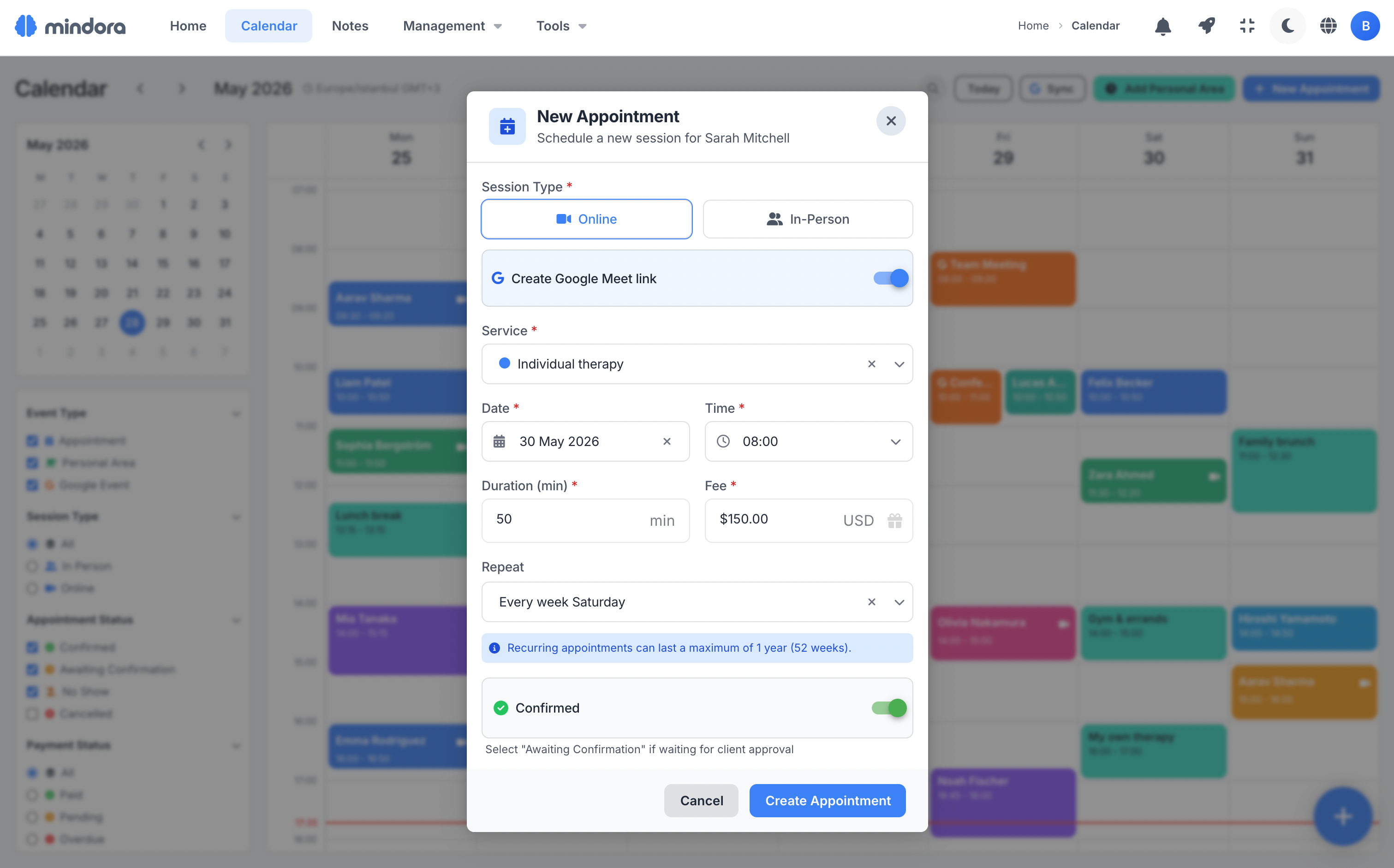
Create Sessions Easily from Any Screen
You don't have to break context to create a new session. Start from the calendar, the sessions page, or a client profile; Mindora fills in the client info automatically.
Set the session type, time, and fee. With recurring sessions and online/in-person options, manage planning to fit how you work.
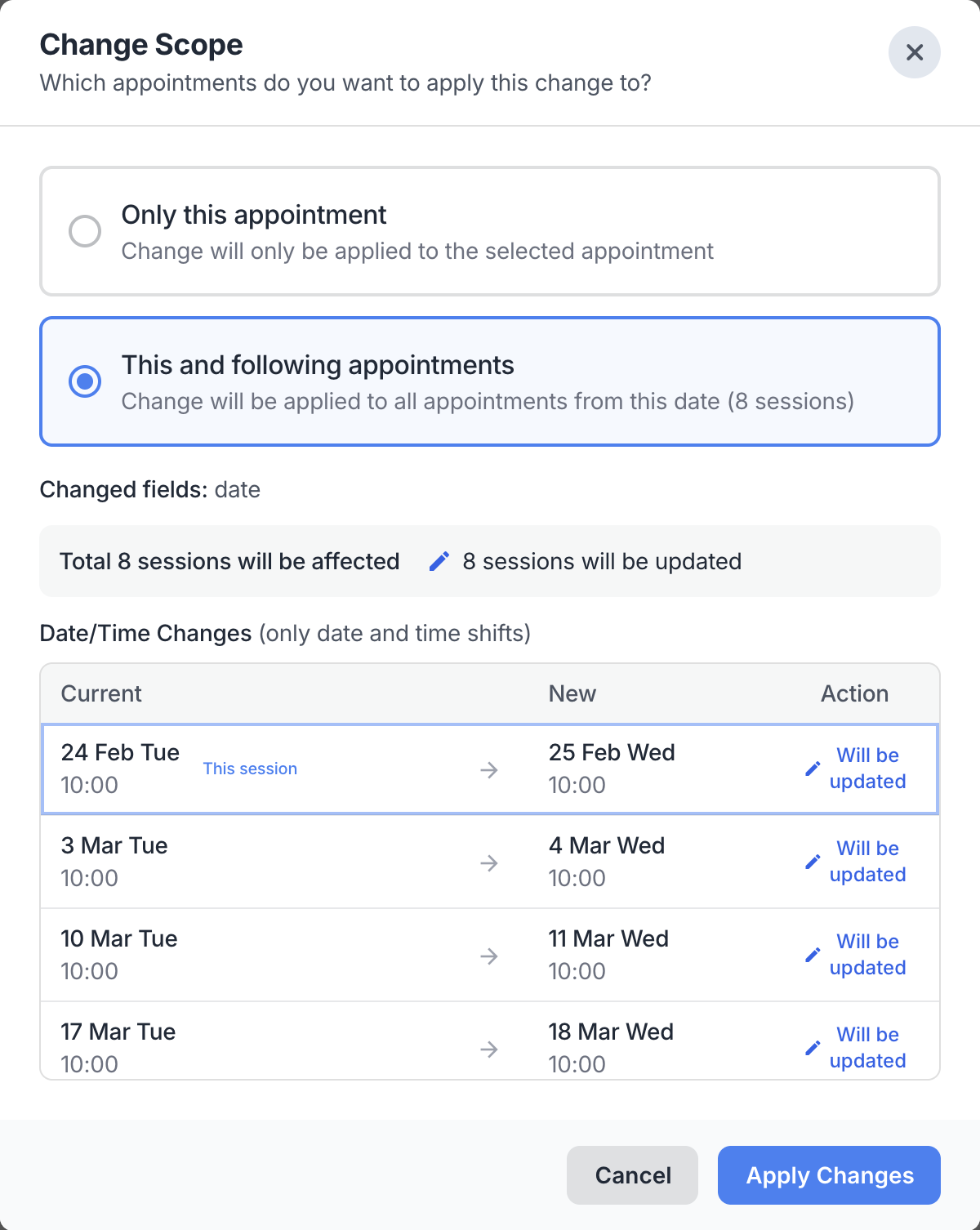
Single Session or Entire Series? You Choose the Scope
A small change to a recurring meeting shouldn't disrupt the whole plan. When you edit a session, Mindora asks whether the change applies only to the selected one or to this session and all that follow.
Preview the affected sessions and any conflicts before applying. So you can change a special day while keeping the rest of the series in its own rhythm.
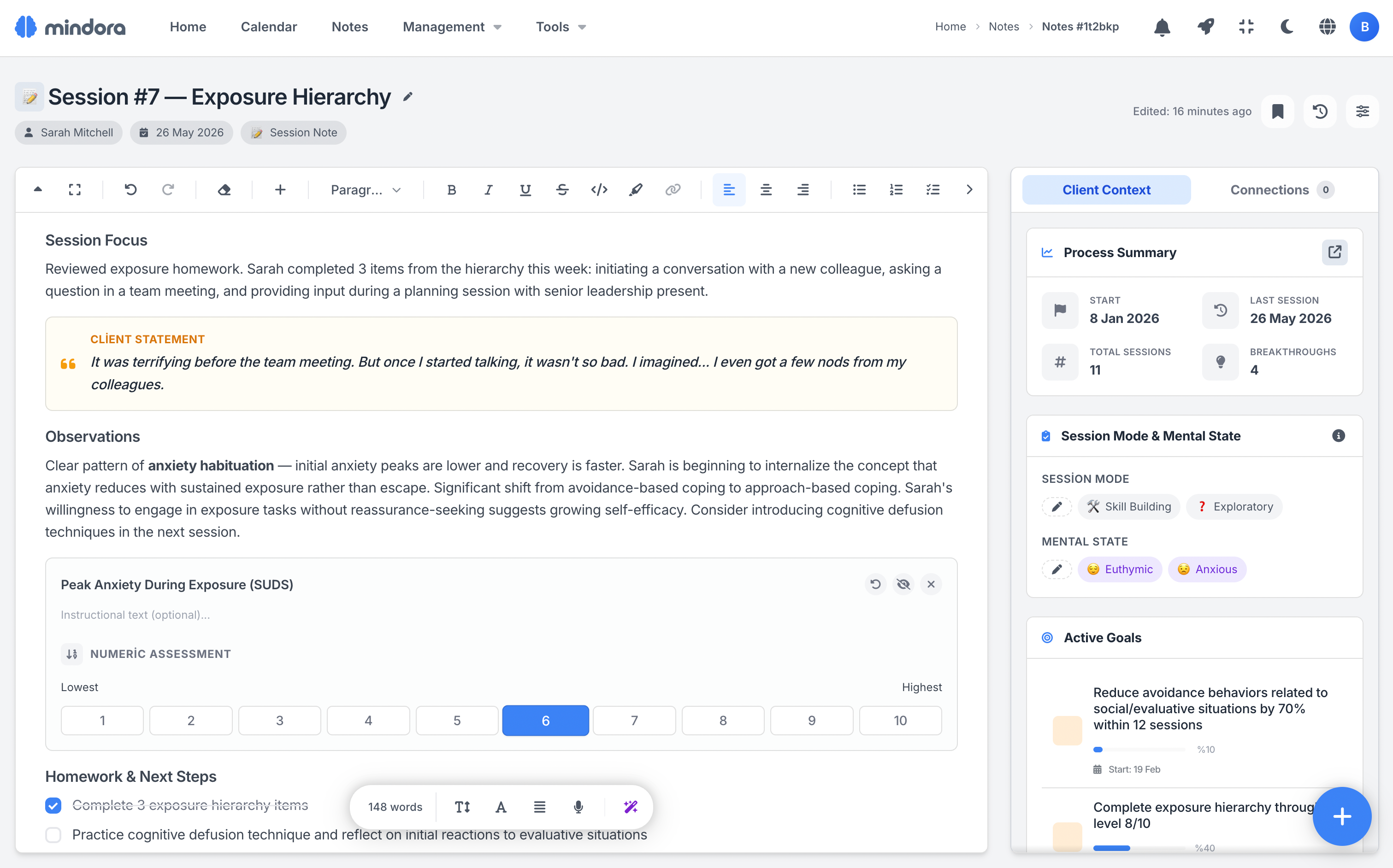
Clinically Document Every Session
Record not just the content of each session, but its clinical character. Document the session focus, process mode, therapeutic alliance status, and your client's mental state in a structured way.
This way your sessions accumulate over time not just as chronological notes, but as a meaningful record that reflects your client's clinical process.
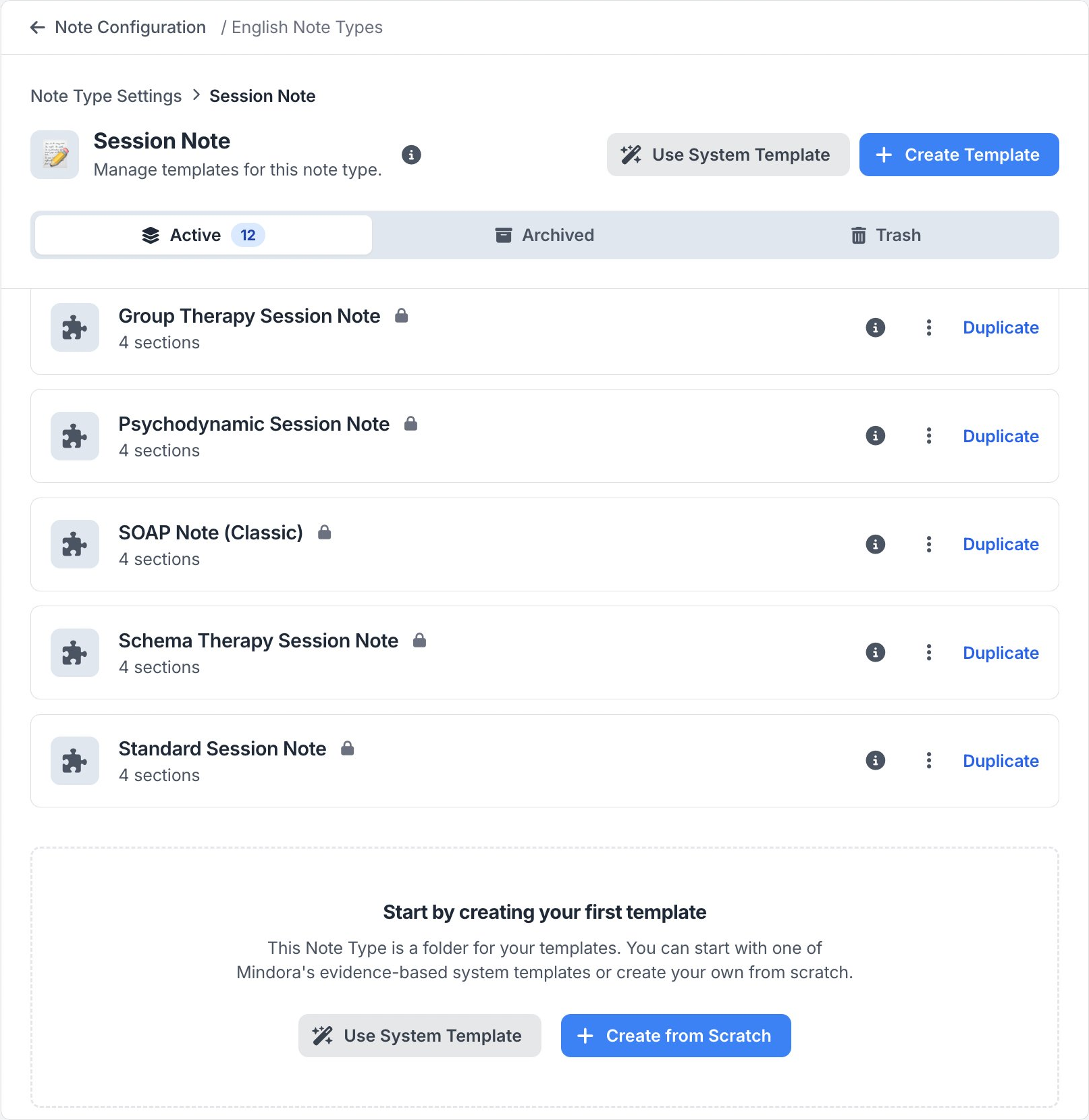
12 Ready-Made Session Note Templates
Start your notes on solid ground with templates built for different therapeutic approaches and session formats. Structures like SOAP, GIRP, DAP, EMDR, Schema Therapy, DBT, Psychodynamic, and free format adapt to your clinical workflow.
Edit ready-made templates or build your own structure. Let your note-taking shape itself around how you work.
Professional Messages, Ready Templates
You no longer have to build client communication from scratch every time. Move quickly and consistently with ready templates for reminders, meeting links, payment links, and receipt messages.
Mindora automatically inserts client info, dates, times, and the necessary links into your message. You just pick the tone, review the message, and send it through the right channel.
WhatsApp & Email
Send your message via WhatsApp or email. The appropriate channel is suggested automatically based on the client's contact info.
Tone & Language
Choose a formal or friendly tone for each message. Turkish or English — the template switches automatically based on the client's language.
Smart Variables
Client name, date, time, amount, and meeting link are inserted into the message automatically. Dates and times are shown in the client's timezone.
Customize Your Templates
Edit ready-made templates from settings however you like. Check WhatsApp bubble or email preview in real time with the live preview editor.
The Right Payment Flow for Cancellations and No-Shows
When you cancel a session or mark it as no-show, the payment status doesn't become a separate burden. Mindora considers the existing payment info and offers the right options for the therapist.
Decide on a full fee, partial fee, or no charge during the action. Whether the payment link is active, the payment has been completed, or no payment has been collected yet, the system handles the scenario safely.
Cancel — Unpaid
Cancel Appointment
Are you sure you want to cancel this session?
Cancel — Active Link
Cancel Appointment
Are you sure you want to cancel this session?
You will need to send a new link for the new amount.
No-Show — Unpaid
Client No-Show
Are you sure you want to mark this session as no-show?
No-Show — Paid Online
Client No-Show
Are you sure you want to mark this session as no-show?
₺1,500 paid via link
Choose a refund option:
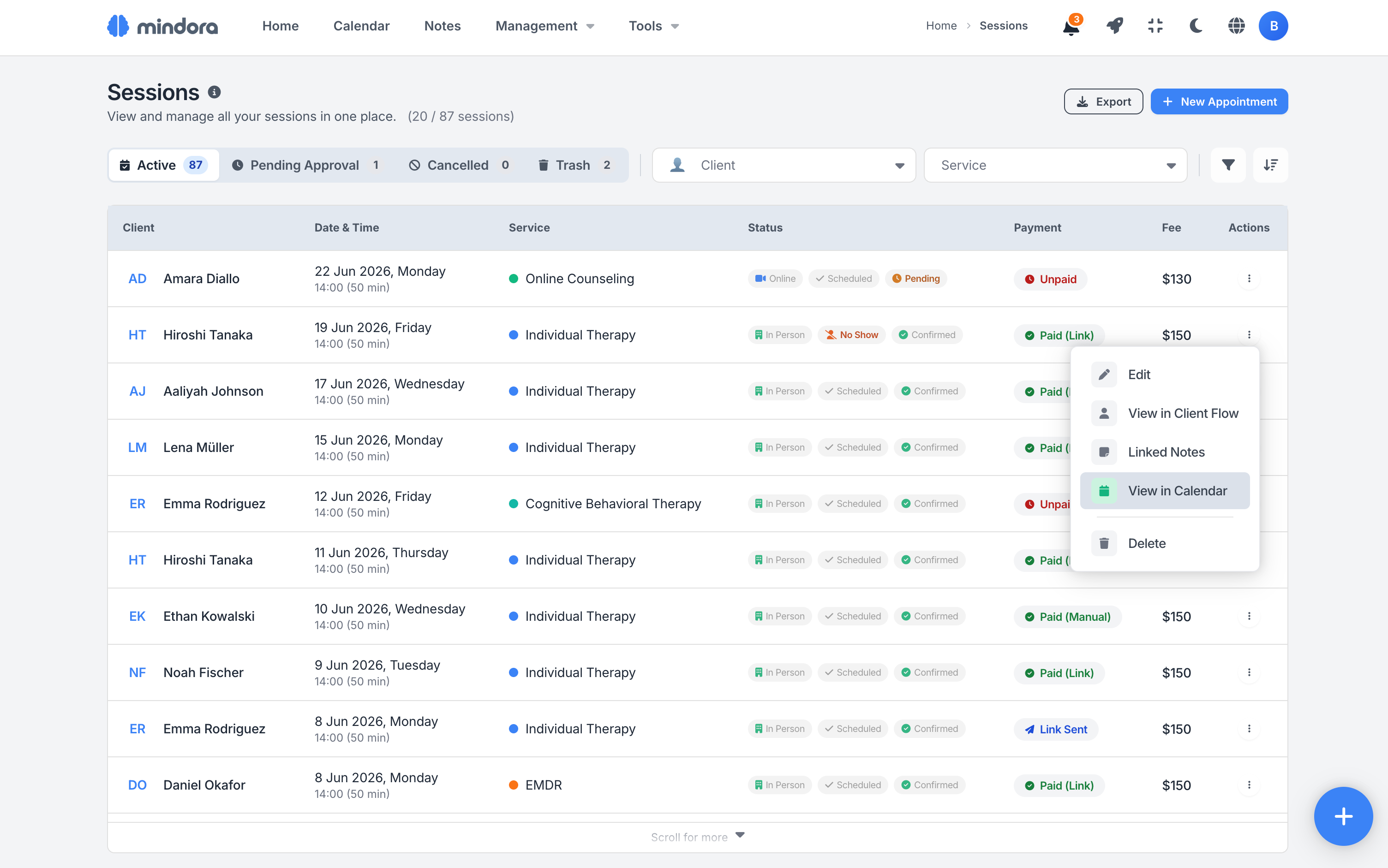
All Your Sessions on One Page
Track your past and upcoming sessions in a single layout. Filter by client, date, status, service type, and payment to reach the session you need quickly.
Narrow the view by week, month, or a custom date range. Check each session's status, payment, and key details at a glance.
All the Tools for Session Management
From creation to completion, cancellation to payment tracking, every step of session management stays under control.
Quick Creation
Start from the calendar, sessions page, or client profile. With 3 entry points and a single 6-step form, plan a new session in seconds.
Recurring Series
Build weekly, biweekly, monthly, or custom-interval series. One definition creates up to 52 sessions; see conflicts instantly.
Drag-and-Drop Editing
Drag a session to its new time directly on the calendar. Conflicts appear immediately and the new time is applied within seconds.
14 Session Modes
Tag each session's character with 14 clinical modes across Process, Content & Emotion, and Therapeutic Alliance; multi-select is supported.
Mental State Assessment
Track the client's emotional picture session by session with 8 mental state options and severity from low to critical. Multi-select when needed.
Session Cockpit
Clinical tools, payment card, linked notes, message history, and Google Meet on one screen; run the whole session from a single hub.
Approve & Reject Flow
Approve online booking requests with one click or reject with a reason. Choose between manual and automatic approval flows.
Note Linking
Link a session to multiple notes. Notes created from the cockpit are auto-linked, and they are preserved even if the session is deleted.
Online Sessions & Google Meet
Generate online session links automatically via Google Meet integration. Apply the same flow to a single session or the entire series.
Reminder Sending
Send session reminders and meeting links via email or WhatsApp from your own account. Channel, content, and timing stay with you.
Cancellation & No-Show
Set the fee policy in a 4-step cancellation flow and approve the refund in one click. No-shows are tracked separately in reports.
Flexible Collection & e-Invoice
Offer bank transfer, online payment, or a bulk payment link. Issue one-click refunds; the e-SMM invoice is auto-generated.
Scenarios from Your Daily Practice
See how session management fits into a therapist's daily workflow.
Managing a Full Day
Start the day from the calendar, review your schedule, and quickly reach the key details of each meeting. During the session, record the mode, mental state, and notes; as the day ends, follow completed sessions in a clean flow.
Handling a No-Show
When a client doesn't attend, mark the session as No-Show and apply the right fee option: full, partial, or no charge. Whether the payment link is still active or the payment has already been collected, the system handles the scenario safely.
Online Therapy Practice
When you create an online session, the meeting link is generated automatically and shared with the client. For a series, a separate Google Meet link is created for each meeting; reminders and attendance are tracked in the same flow.
Learn More
Detailed guides about session management.
Frequently Asked Questions About Session Management
Common questions about single sessions, recurring sessions, meeting links, cancellations, and import.
Ready to Simplify Your Session Management?
Create a free account and explore your session management system today.